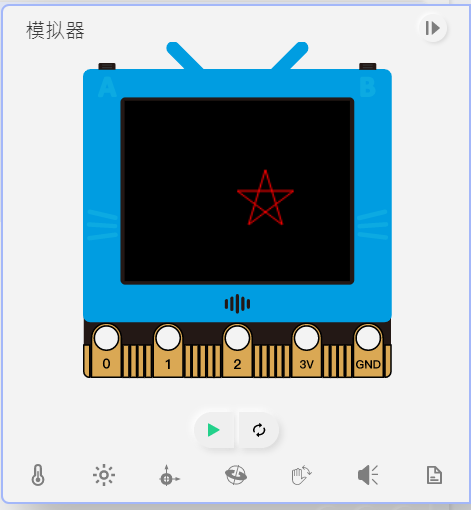
Turtle
Import FutureBoard Library
Import the Library to make use of its functions.
from future import *
04: Turtle
1. Setting the Pen Color
turtle.fillcolor(color)
Turtle accepts RGB value for color, value range is 0~255. Example: (255,100,0)
2. Moving the Pen Forward
turtle.forward(steps)
Moves the pen forward by the number of steps.
3. Turning the Pen
turtle.left(angle)
turtle.right(angle)
Turns the pen to the left or right by the degree of angle.
4. Setting the Heading
turtle.setheading(angle)
Sets the heading to be the angle.
5. Moves the Pen to a Point
turtle.goto(x,y)
Moves the pen to a point (x,y).
6. Moves the Pen along an axis
turtle.setx(x)
turtle.sety(y)
Moves the pen to a point on the x or y axis.
7. Draws a Dot
turtle.dot(d)
Draws a dot with the diameter of d.
8. Draws a Circle
turtle.circle(r,angle)
Draws an arc with the given radius and angle, a 360 degree arc results in a full circle.
9. Sets a Fill Area
turtle.begin_fill()
turtle.end_fill()
Begins and ends the fill area.
Note: The screen of the FutureBoard is below the requirements for the Turtle MicroPython Library, there may be unintended results with the fill function.
10. Sets the Pen Up or Down
turtle.pendown()
turtle.penup()
11. Clears the Screen
turtle.clear()
Sample Program
# Draws a star

from future import *

turtle.clear()
turtle.penup()
turtle.setx(80)
turtle.sety(64)
turtle.pendown()
for i in range(5):
    turtle.forward(40)
    turtle.right(144)