Onboard Sensors
Import FutureBoard Library
Import the Library to make use of its functions.
from future import *
02: Onboard Sensors
1. Buttons
sensor.btnValue(btn)
Parameter btn represents A or B button, accepted values are a, b.
2. Light Sensor
sensor.getLight()
Returns a value 0~4095.
3. Temperature Sensor
sensor.getTemp()
Returns a degree in Celsius, FutureBoard can measure temperatures from -40 to 80 degrees.
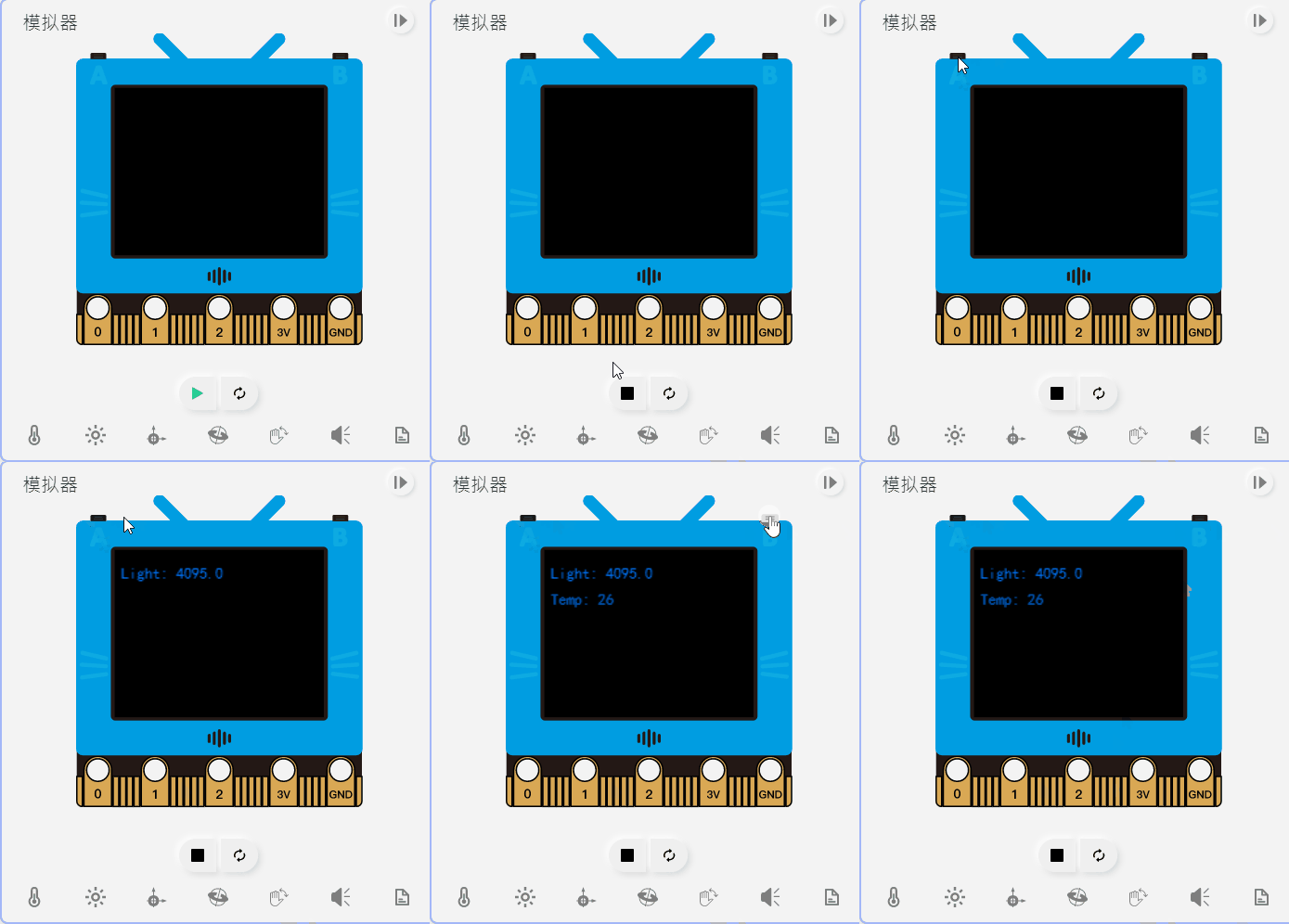
Sample Program for 1~3
from future import *

from time import sleep

screen.fill((0, 0, 0))
while True:
  if sensor.btnValue('a'):
    screen.text(str("Light: ")+str(sensor.getLight()),5,10,1,(0, 119, 255))
    sleep(0.5)
  if sensor.btnValue('b'):
    screen.text(str("Temp: ")+str(sensor.getTemp()),5,30,1,(0, 119, 255))
    sleep(0.5)
4. Accelerometer
sensor.accX()
sensor.accY()
sensor.accZ()
Returns the accelerometer value of the 3 axis with G as the unit.
5. Tilt Angles
sensor.roll()
sensor.pitch()
Returns the roll and pitch angle of the FutureBoard.
Sample Program for 4~5
#The screen displays the readings of the accelerometer.

from future import *

from time import sleep

screen.sync = 0
while True:
  screen.fill((0, 0, 0))
  screen.text(str("X: ")+str(sensor.accX()),5,10,1,(0, 119, 255))
  screen.text(str("Y: ")+str(sensor.accY()),5,25,1,(0, 119, 255))
  screen.text(str("Z: ")+str(sensor.accZ()),5,40,1,(0, 119, 255))
  screen.text(str("Roll: ")+str(sensor.roll()),5,55,1,(0, 119, 255))
  screen.text(str("Pitch: ")+str(sensor.pitch()),5,70,1,(0, 119, 255))
  screen.refresh()
  sleep(0.2)
6. Gesture Detection
sensor.gesture(gesture)
8 kinds of gesture can be detected by the FutureBoard.
- 'shake'
- 'freefall'
- 'tilt_up'
- 'tilt_down'
- 'tilt_left'
- 'tilt_right'
- 'face_up'
- 'face_down'
7. Gesture Event Trigger
sensor.gesTrig[ges] = fn
sensor.startSchedule()
Sample Program for 6~7
# Futureboard plays a melody on shake.
# Futureboard shows the status of gestures face up and face down.

from future import *

from time import sleep

def onGesture_shake():
  buzzer.melody(JUMP_UP)

sensor.gesTrig['shake']=onGesture_shake
sensor.startSchedule()

screen.sync = 0
while True:
  screen.fill((0, 0, 0))
  screen.text(str("Face Up: ")+str(sensor.gesture('face_up')),5,10,1,(0, 119, 255))
  screen.text(str("Face Down: ")+str(sensor.gesture('face_down')),5,25,1,(0, 119, 255))
  screen.refresh()
  sleep(0.2)
8. Compass Calibration
calibrateCompass()
Magnetometer and compass requires calibration before using.
9. Magnetic Strength
sensor.magX()
sensor.magY()
sensor.magZ()
sensor.magStrength()
Returns the magnetic strength detected by the sensor with uT as the unit.
10. Compass Bearing
sensor.heading()
Returns the compass bearing.
Sample Program for 8~10
# Simulates a compass

from future import *
import math
calibrateCompass()
screen.sync = 0
ds = ''
while 1:
    d = int(math.fabs(360-sensor.heading()))
    screen.fill(44)
    if (d<20) | (d>340):
        ds = 'N'
    elif (d<70):
        ds = 'NE'
    elif (d<110):
        ds = 'E'
    elif (d<160):
        ds = 'SE'
    elif (d<200):
        ds = 'S'
    elif (d<250):
        ds = 'SW'
    elif (d<290):
        ds = 'W'
    else:
        ds = 'NW'
    screen.text(d, 5,5)
    screen.textCh(ds,5,30)
    screen.text(str('Strength: ')+str(sensor.magStrength()),5,80)
    screen.refresh()