07 Relay
Module Introduction
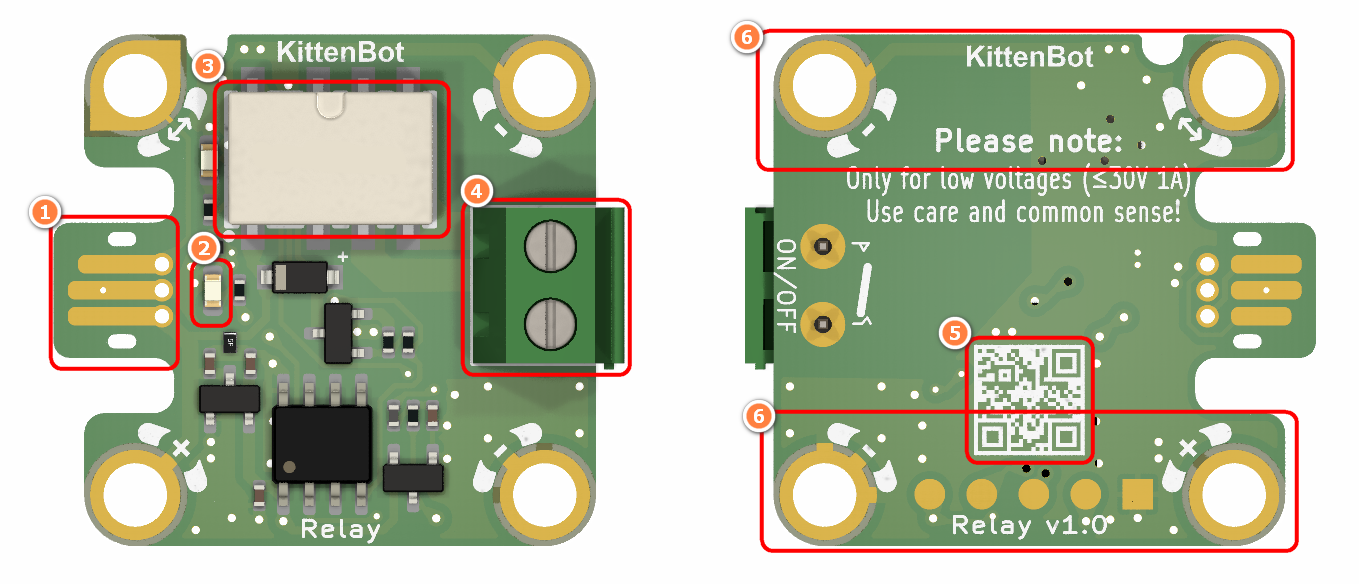
Jacdac Edge Connector
Jacdac Communication Indicator
Relay
Terminal Block
Product QR Code
Jacdac Standard Through Hole
Components used
- 1x MicroUSB Cable
- 1x MicrobitV2
- 1x Jacdaptor
- 1x Cable
- 1x Relay
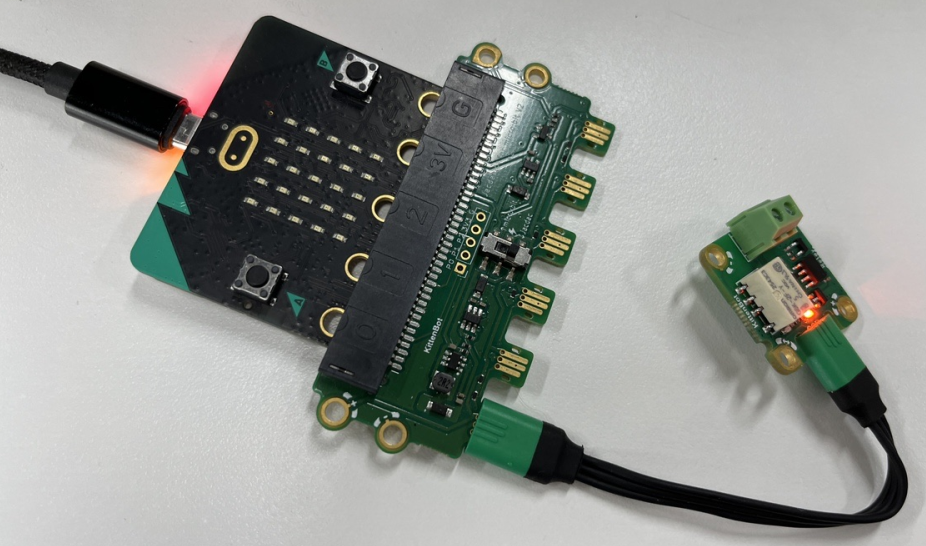
Connection
PC-〉MicroUSB -〉MicrobitV2-〉Jacdaptor-〉Cable--〉Relay
Coding Platform
Microsoft MakeCode for micro:bit (microbit.org)
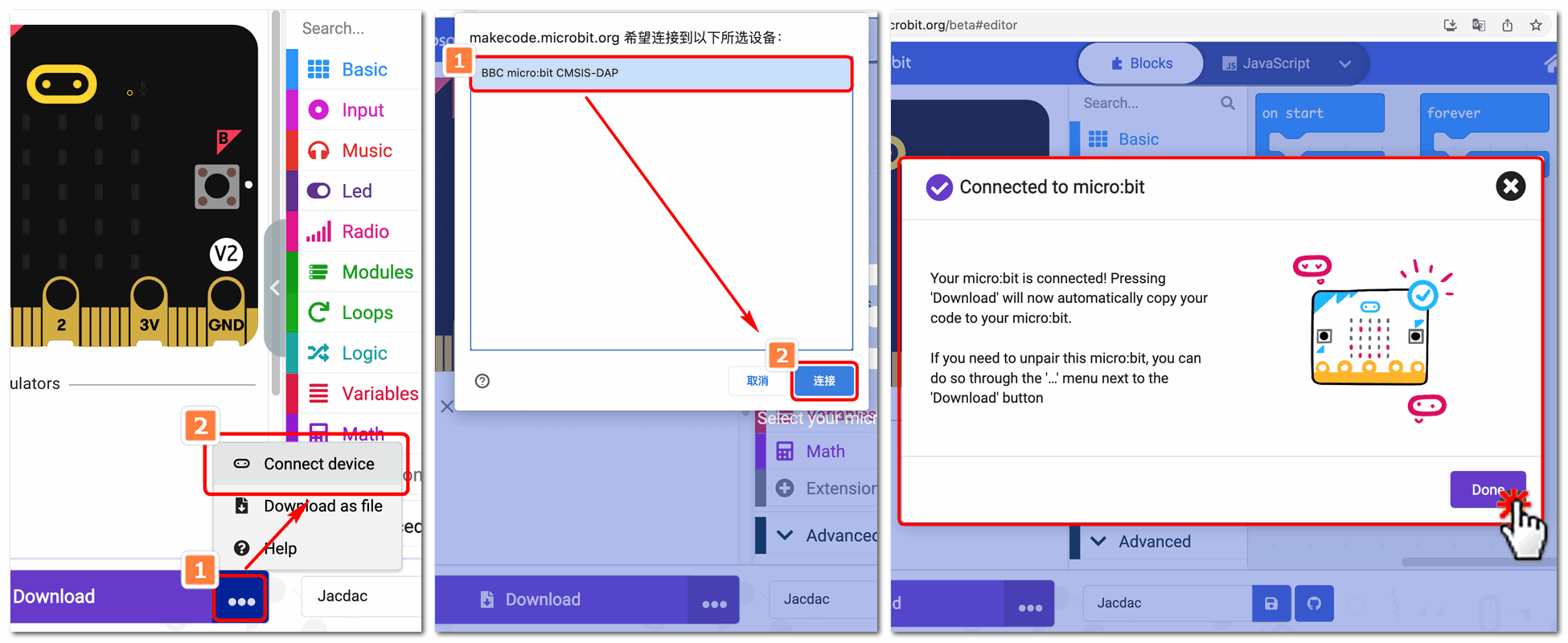
Create a new project

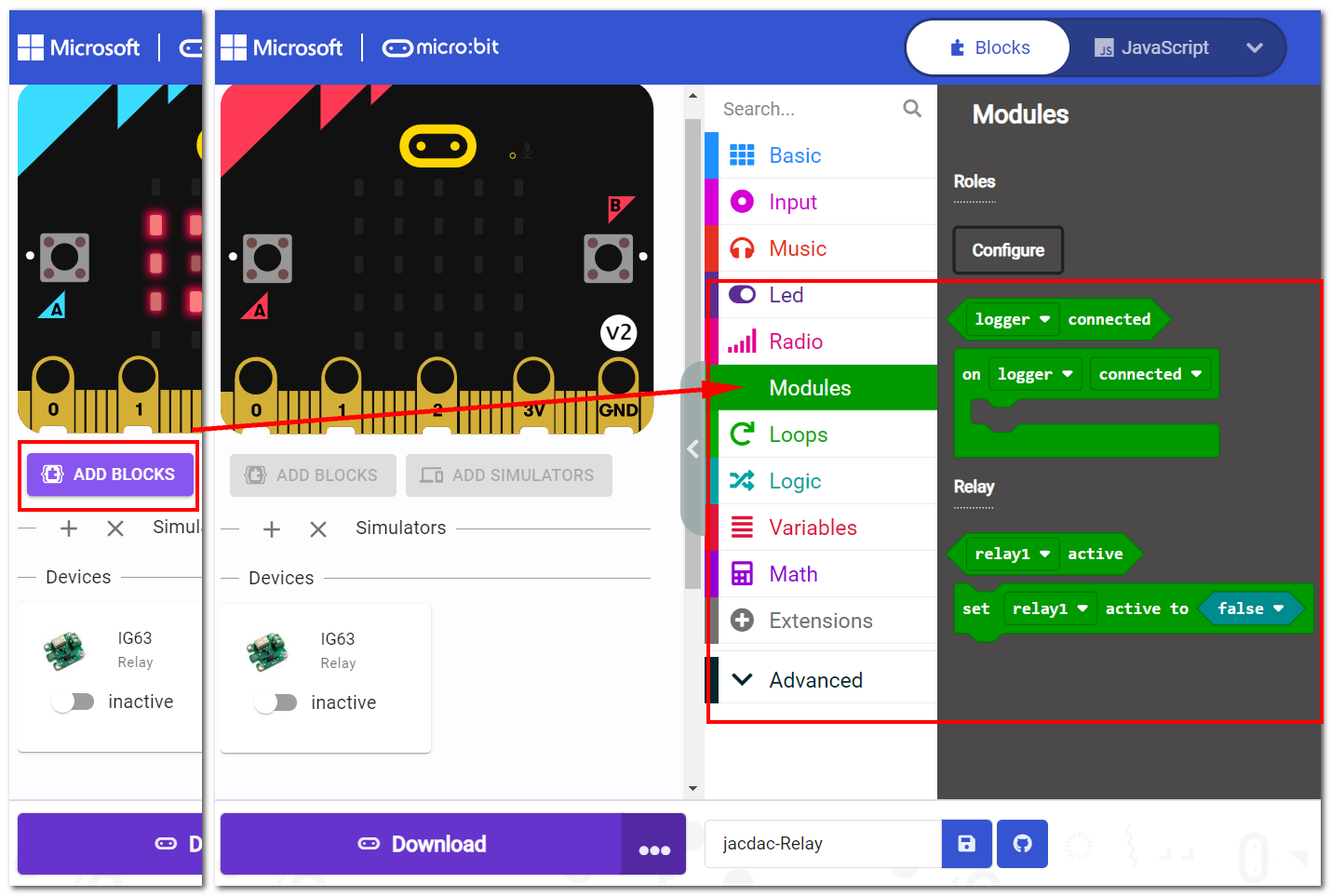
Establish a connection
Extensions——Jacdac
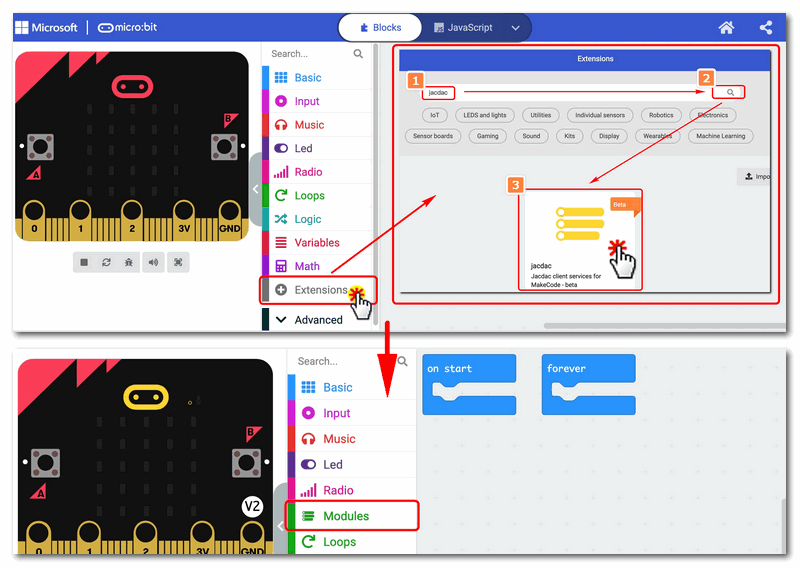
Add Jacdac Relay Block
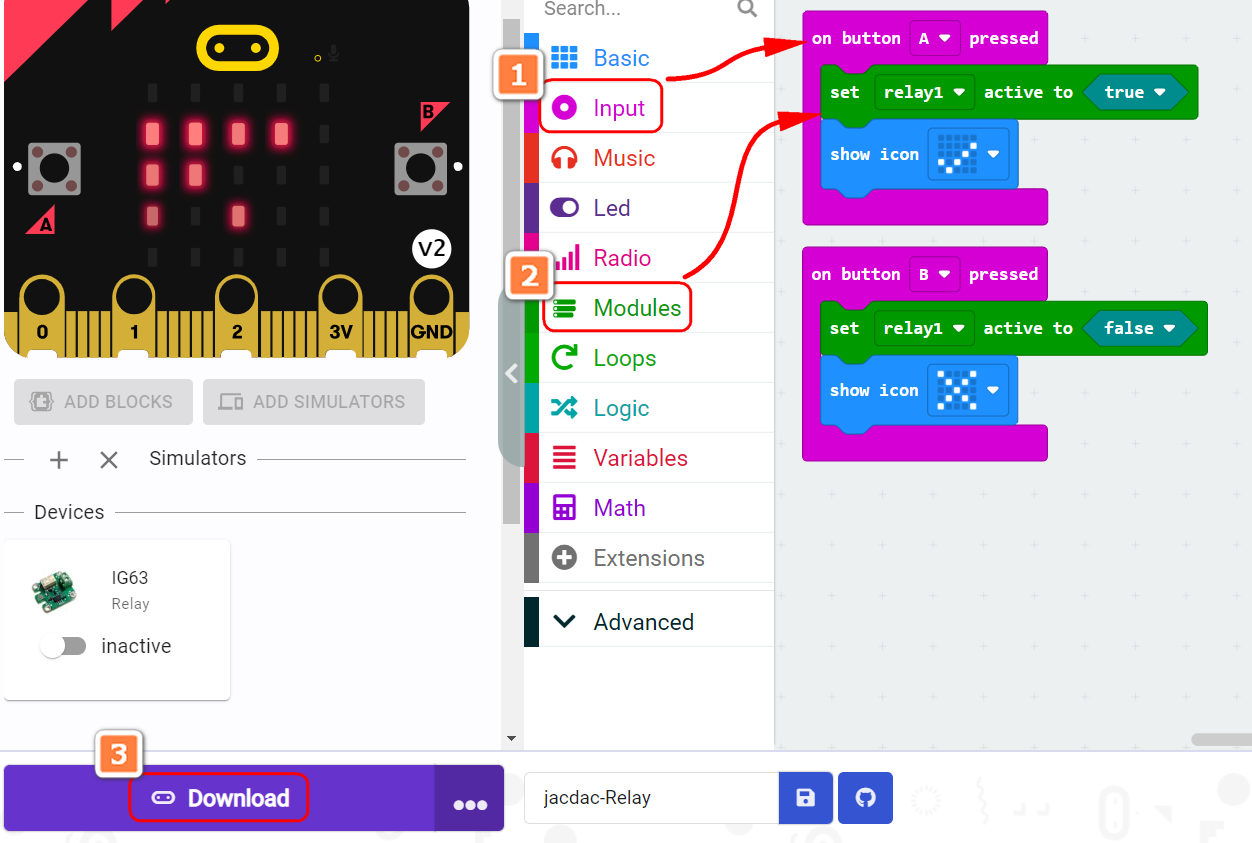
Program and download
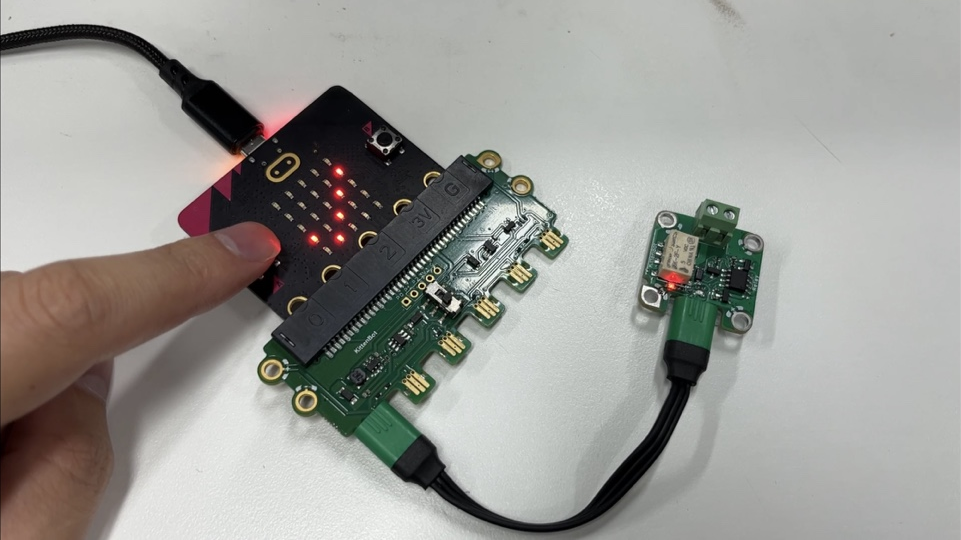
The Result
Press A to switch on the relay
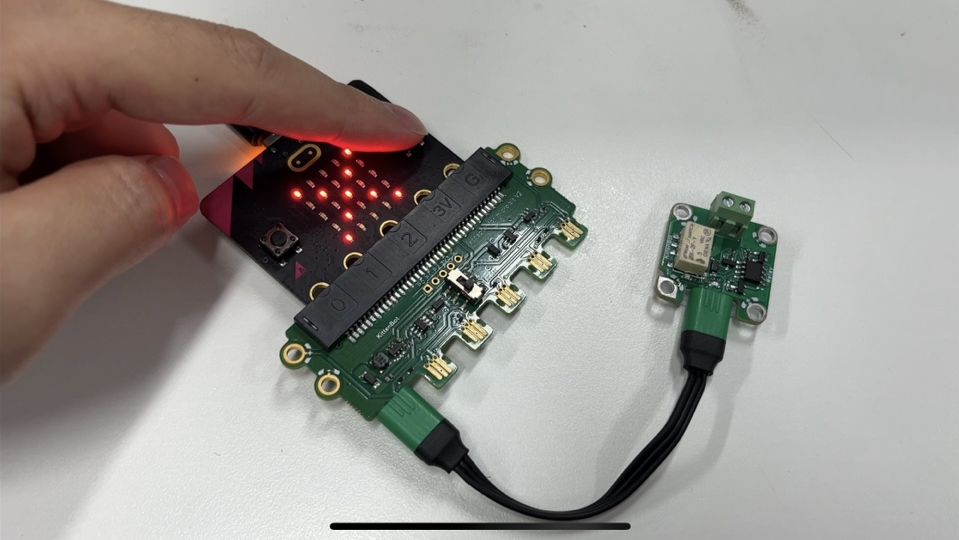
Press B to switch off the relay
Notice
- Please use with caution when using the Relay module, as the Relay module is a high-power module
- The maximum external voltage of the Relay is 5V
- The maximum external current of the Relay is 1A