06 Haptic Output
Module Introduction
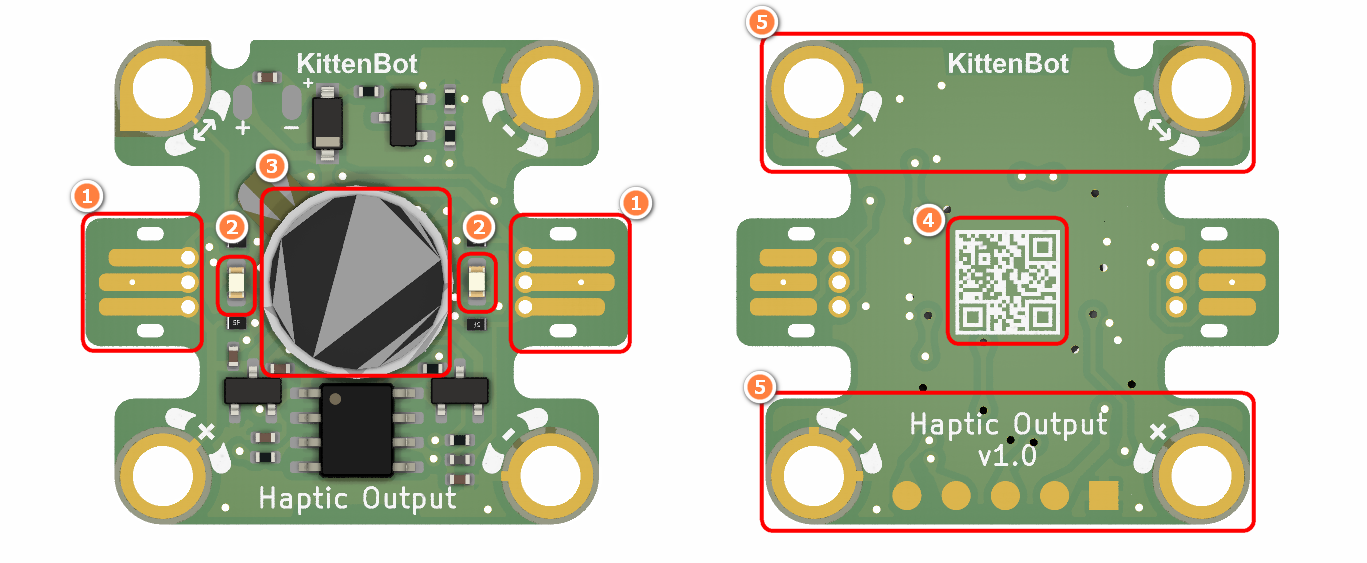
- Jacdac Edge Connector
- Jacdac Communication Indicator
- Haptic Motor
- Product QR Code
- Jacdac Standard Through Hole
Components used
- 1x MicroUSB Cable
- 1x MicrobitV2
- 1x Jacdaptor
- 1x Cable
- 1x Haptic Output
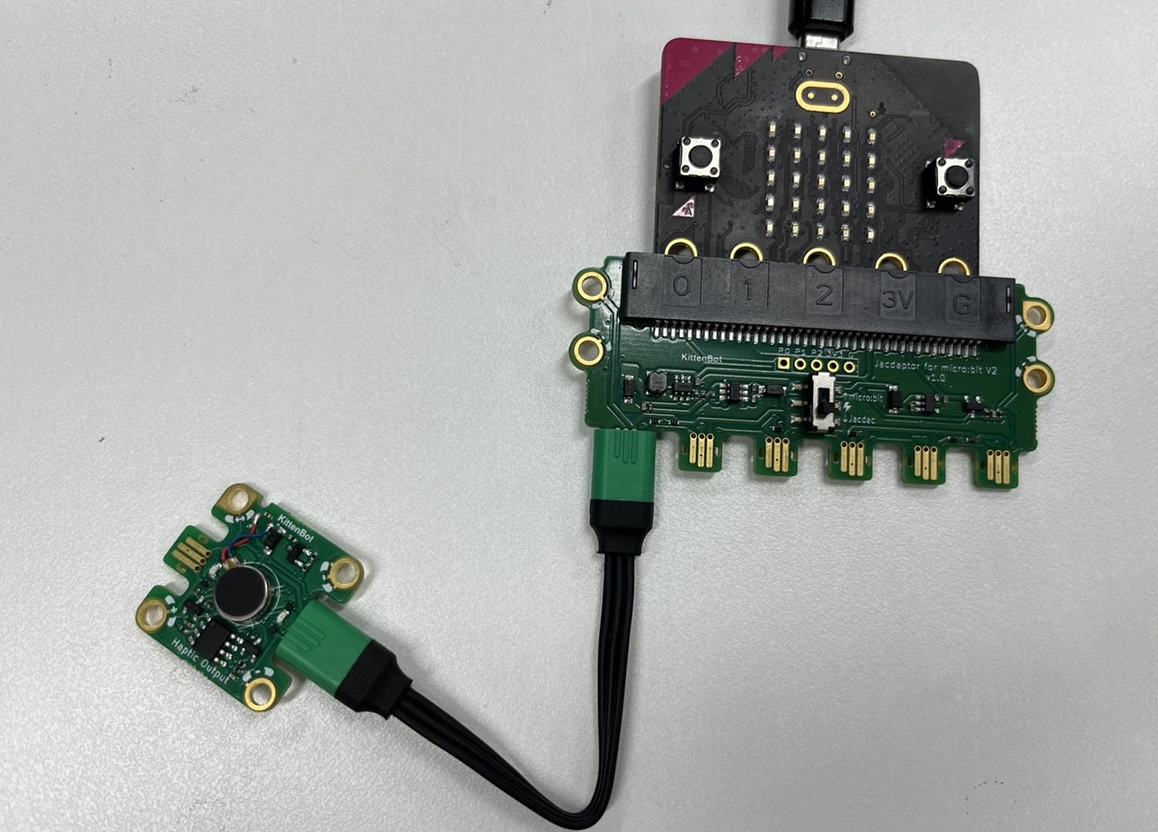
Connection
PC-〉MicroUSB -〉MicrobitV2-〉Jacdaptor-〉Cable--〉Haptic Output
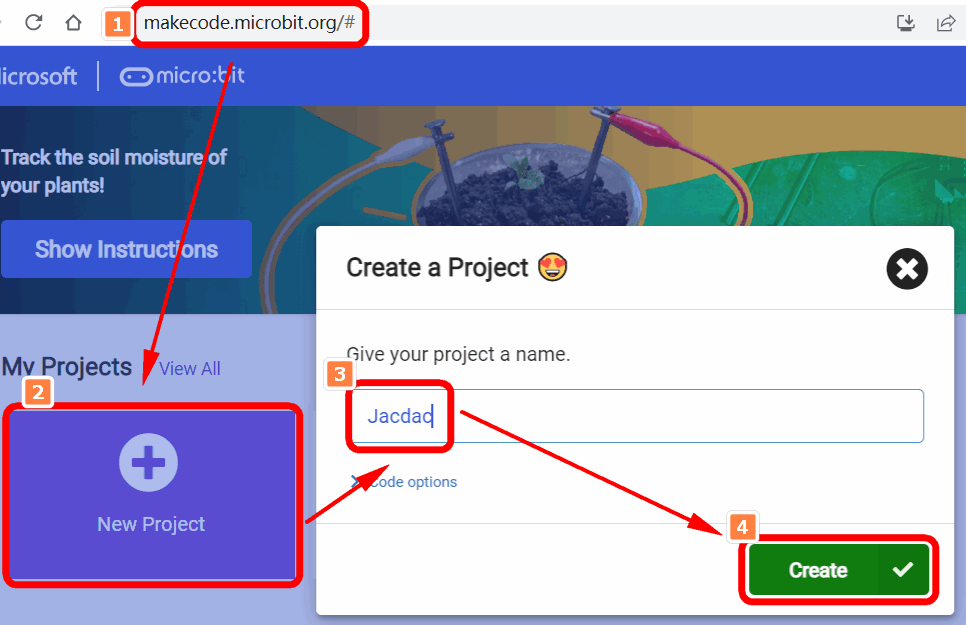
Coding Platform
https://makecode.microbit.org/beta
Create a new project
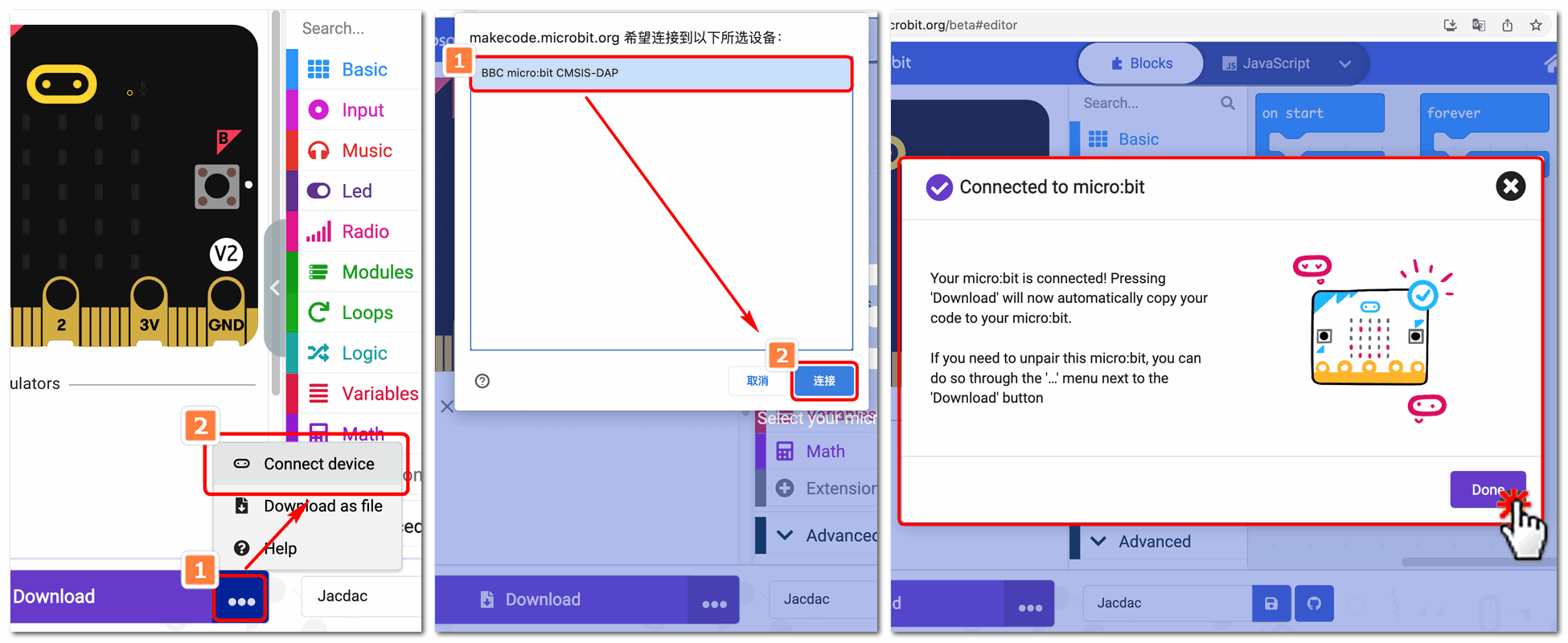
Establish a connection
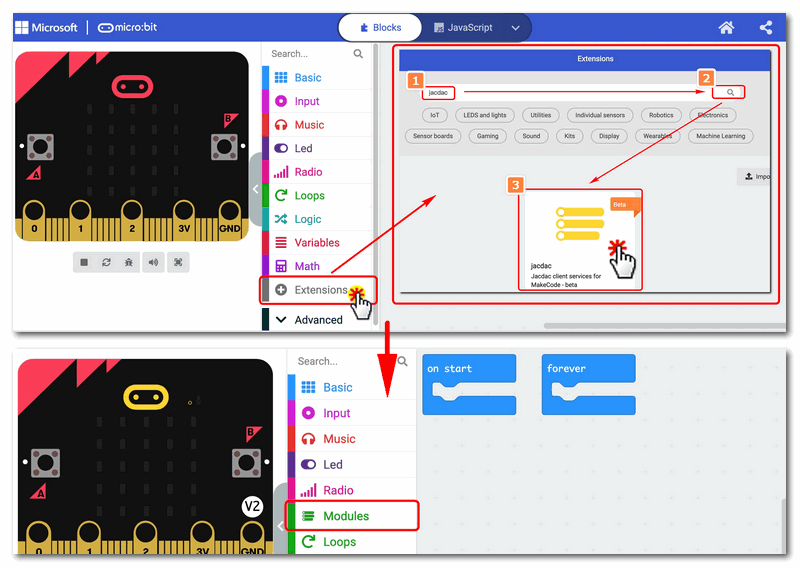
Extensions——Jacdac
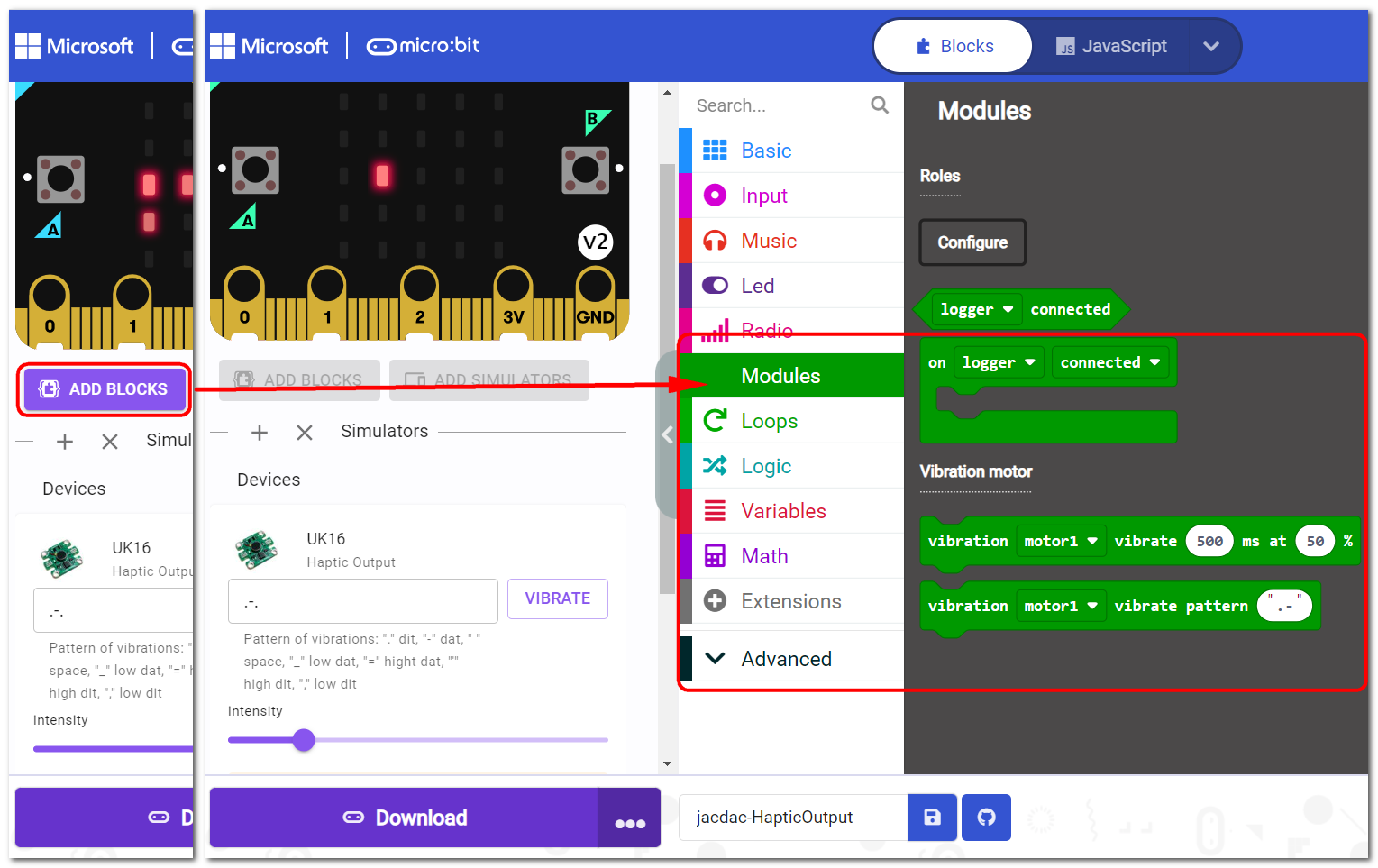
Add Jacdac Haptic Output Block
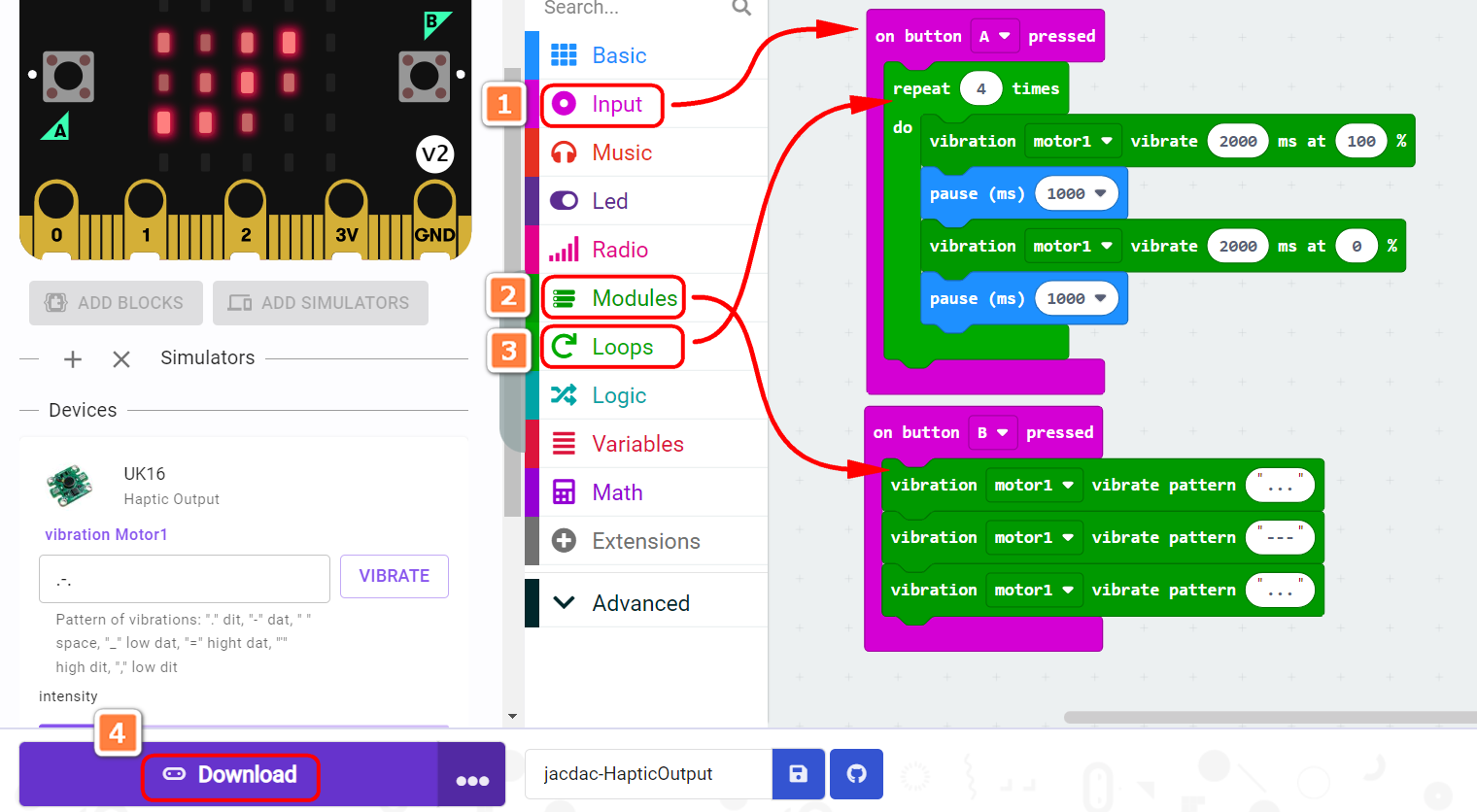
Program and download
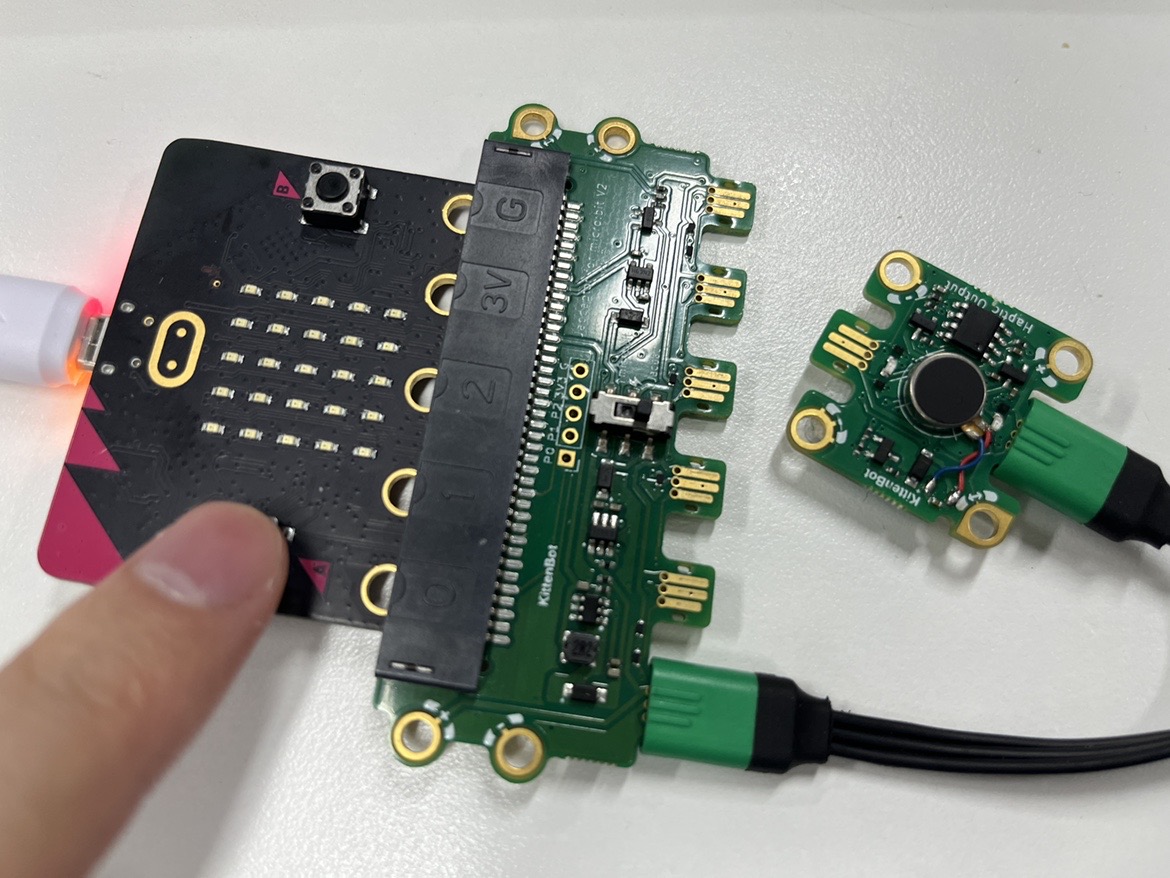
The Result
Press AB to trigger vibration
FAQ
Why does the haptic output module not vibrate?
Please turn the vibration intensity or vibration duration to a larger value
Why is the vibrate pattern setting not responding?
The vibrate pattern only supports a maximum of 6 characters.