Flashing DeviceScript Firmware
Introduction
DeviceScript is suitable for geek users to develop and use, interested enthusiasts can also try it out
Download Kitten Firmware Upadate Tool
Decompress and Run
Run KFU.exe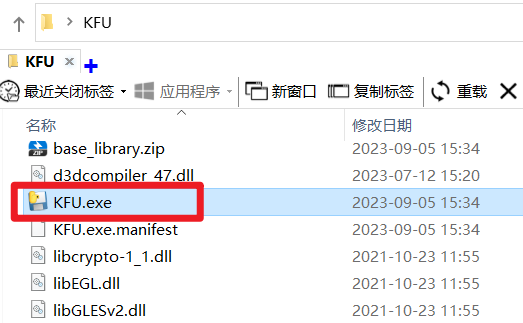
Interface
The software does not include DeviceScript firmware at this time, it needs to be added manually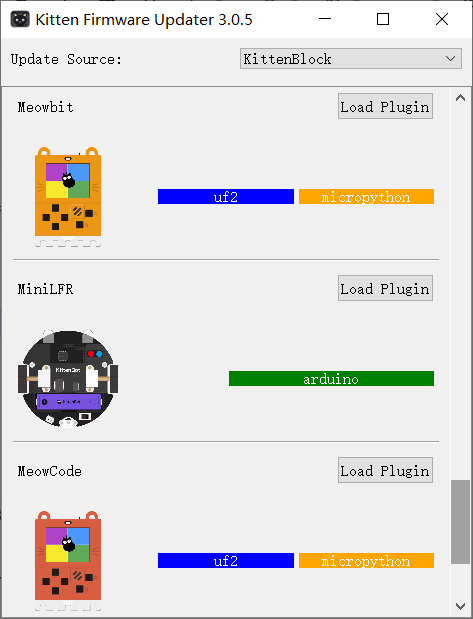
Download DeviceScript firmware
DeviceScript firmware
Subsequent firmware will be updated in the tool, or support loading in URL format
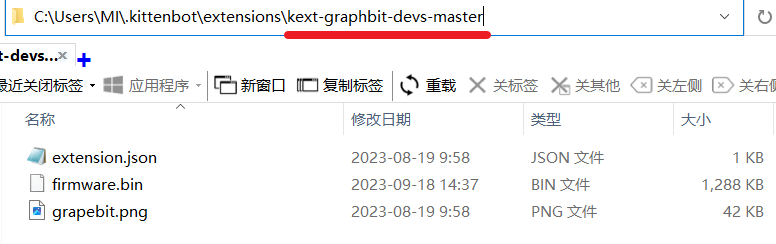
Extract and Place
Extract the kext-graphbit-devs-master.zip package
and place it in your C drive user directory, for example, my username is MI, and the place I placed it is
Kickstart the KFU (Kitten Firmware Upadate) Tool
See the new Grapebit devicescript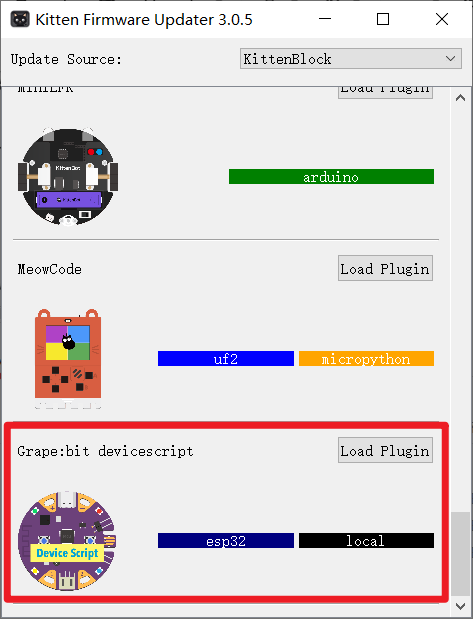
USB Cable for Grapebit
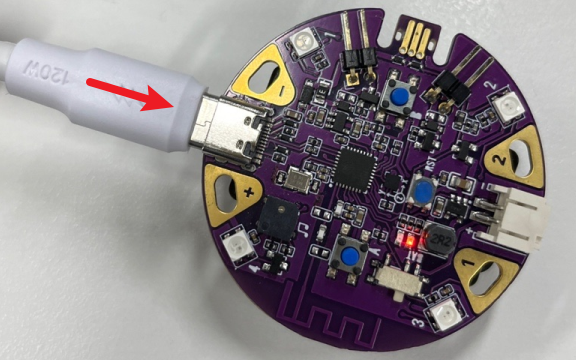
Enter the firmware upgrade mode with combination keys
Hold down the B button, then press the RST button once, and release the B button after 2 seconds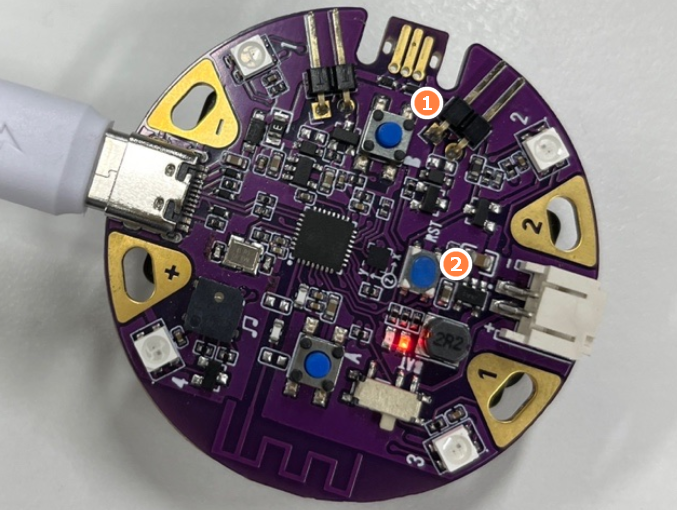
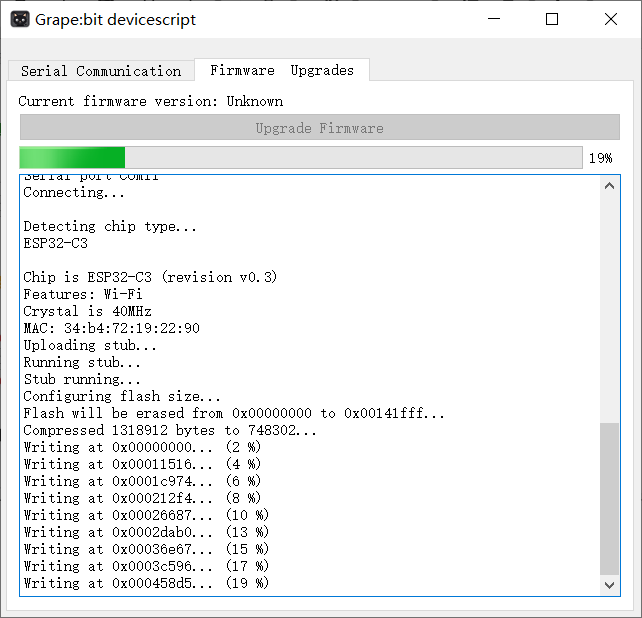
Tap to update firmware
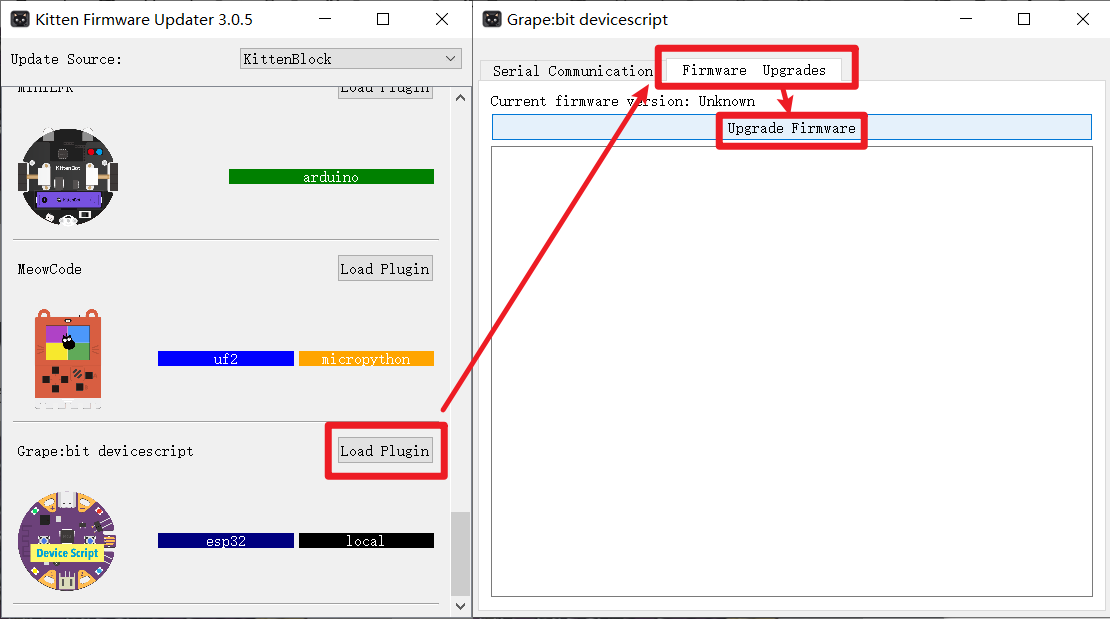
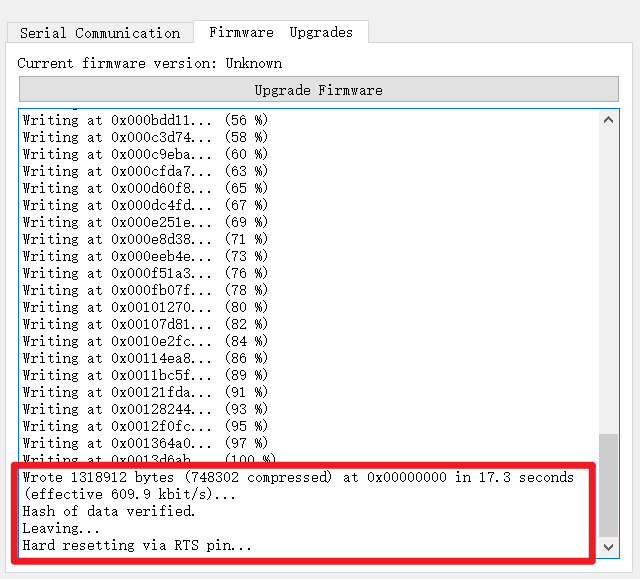
Wait for the firmware to update successfully
The update will take about ten seconds
Tips Update Complete
Press the RST button to reset and restart the board. This completes the Grapebit DeviceScript firmware flashing process.